Freelance project
Client management system
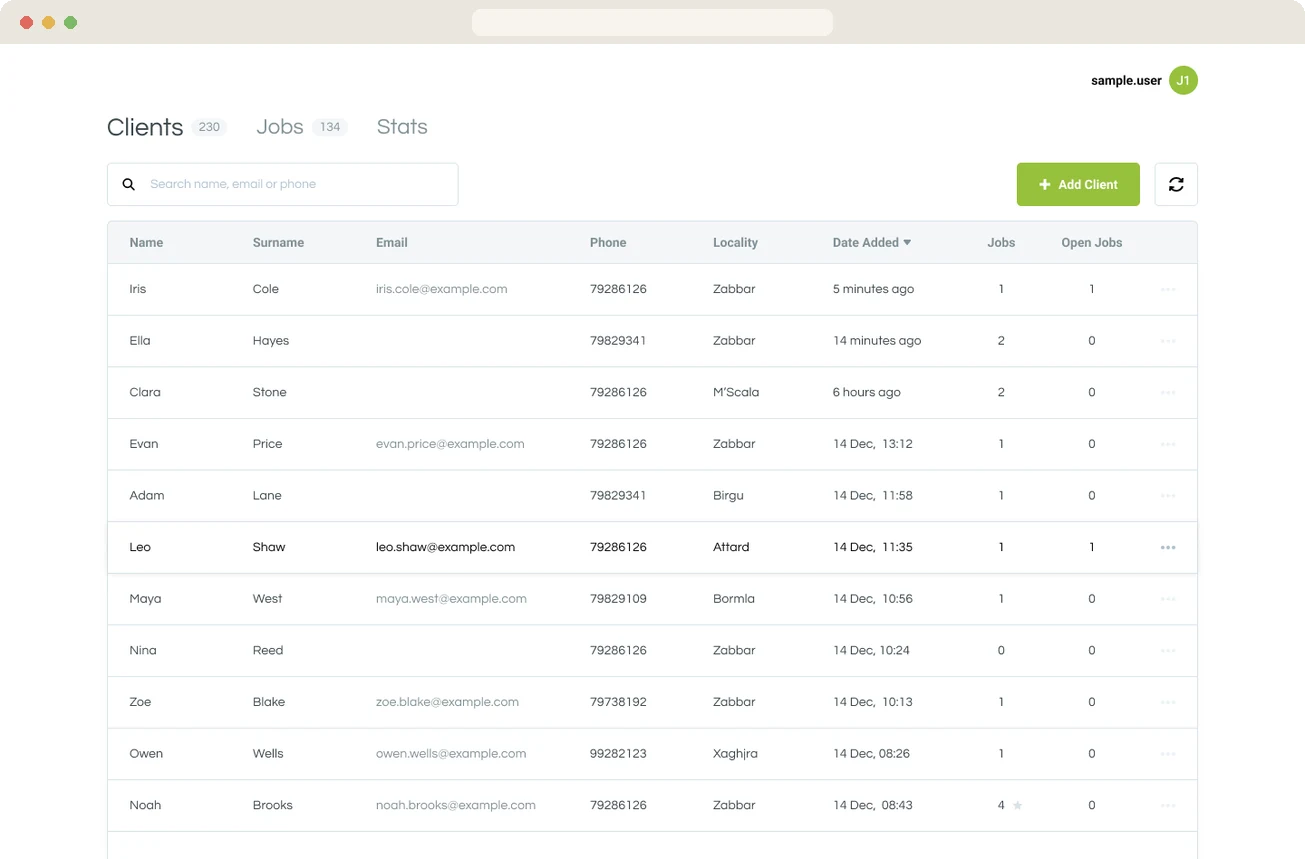
A web system that lets an independent optician track clients, prescriptions and spectacle jobs, and see sales figures. It took the shop from paper and spreadsheets to one system they can open from anywhere.
01
Overview
The brief and the goal.
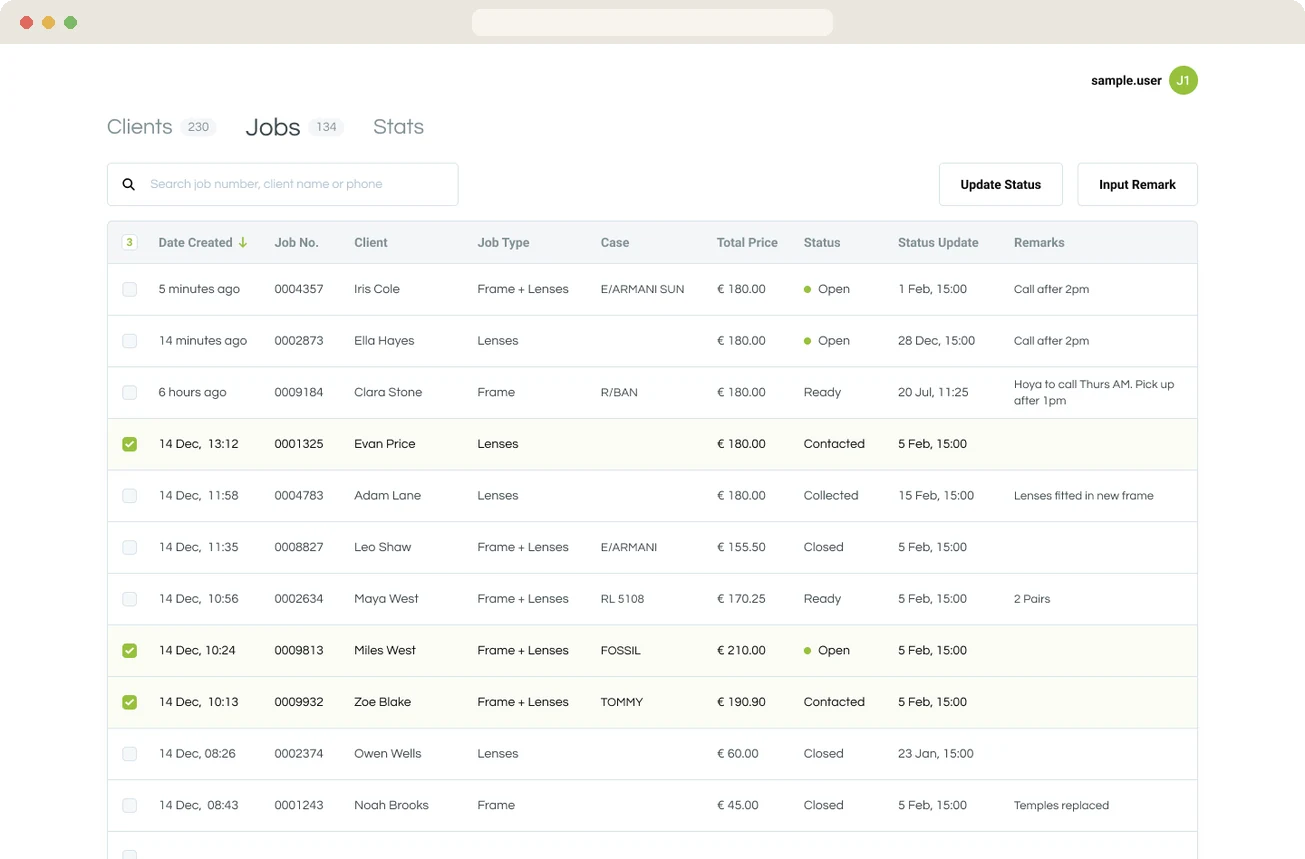
The shop kept client records and spectacle jobs on paper and in spreadsheets, so sales staff were entering the same details twice. The owner wanted one system to hold clients and prescriptions, move each job through its stages, and show statistics and data about their clients and sales.
Success meant going fully online with no manual copying, and giving the manager something they could check from a phone or laptop.
02
My role
What I owned and who I worked with.
- 01Built the whole system, front end and back end, from 2021 onwards.
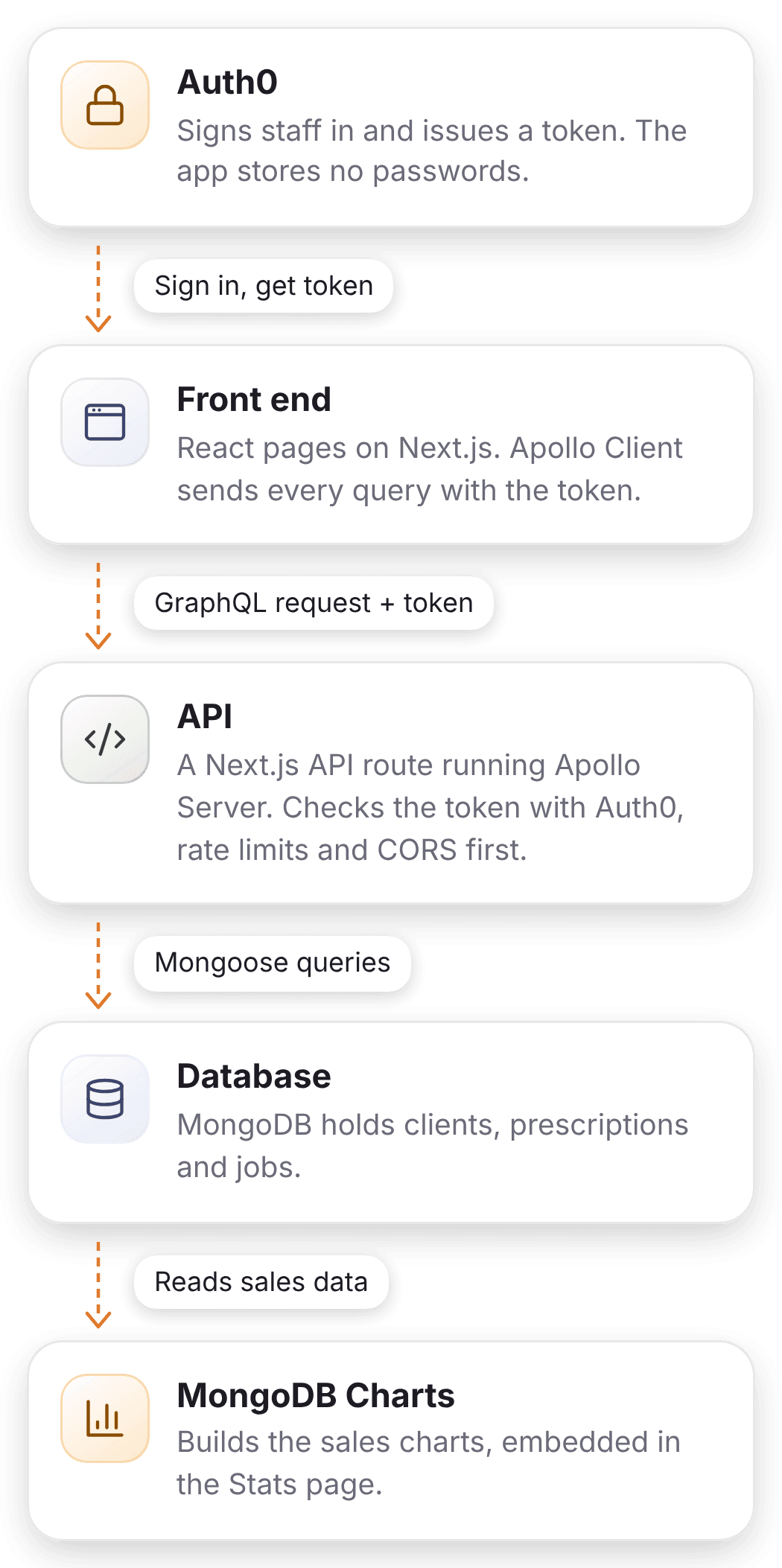
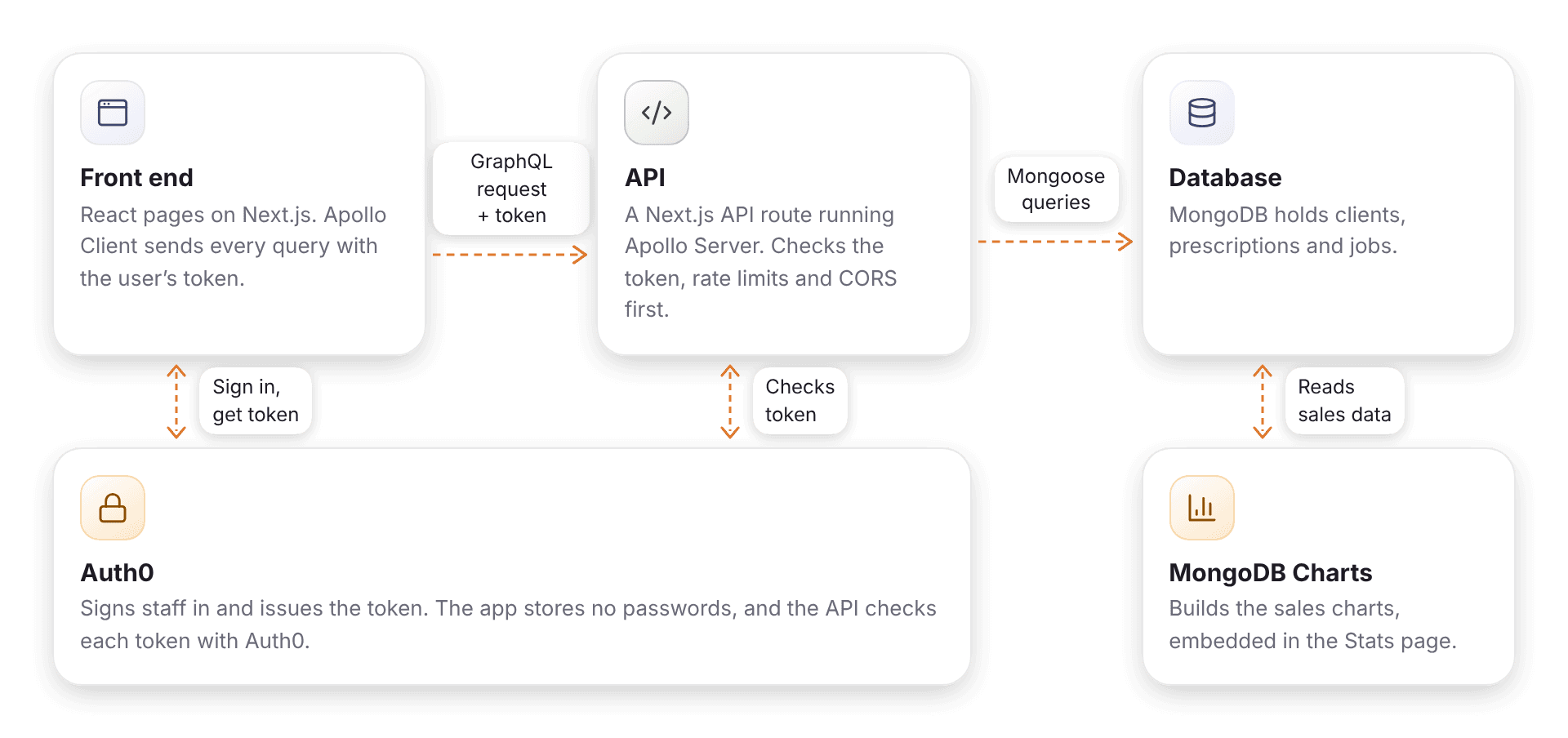
- 02Designed a custom GraphQL API with rate limiting, restricted CORS and Auth0 token checks on every request.
- 03Worked directly with the owner on what the shop needed, with a designer joining our meetings to gather client requirements and work on the designs.
03
How it’s built
The stack and how the pieces fit.
- Front endNext.js, React, styled-components, Apollo Client
- Back endNode.js, Apollo Server, Mongoose
- DataMongoDB, MongoDB Charts
- HostingVercel
04
Why it’s built this way
The decisions that shaped it.
- 01A custom GraphQL API instead of Realm’s built-in oneThe first version used MongoDB Realm’s built-in GraphQL. I later replaced it with my own, to add rate limiting and restricted CORS, and to write the queries the shop needed: search, client totals and overall stats.
- 02Auth0 tokens instead of custom JWTsAuth0 handles sign-in and passwords, so the system stores none.
- 03Embedded MongoDB Charts instead of hand-built chartsCharts are set up in a visual editor, so they’re easy to change. MongoDB’s tool made it easy to add and remove charts and to create queries on the data, without reinventing the wheel.
05
Gallery
Screens and details.
The Stats page, built on embedded MongoDB Charts. A client record, with the current prescription. Prescription history for one client. Creating a new job: frame and lens details. A client’s job history and where each job is.
06
Outcome
What changed, and what I’d do differently.
Data was imported by hand at first, and the shop has been positive about the system since. It’s still in use and I still maintain it when needed, and the owner has asked for it to be set up for a second shop.
What I’d do differently
- 01Build it white-label from the start, so a second shop is a setup task rather than a code change.
- 02Write the tests first.
- 03Add monitoring from day one.
- 04Keep a written log of the decisions agreed with the client.